
%22%20d%3D%22m0%200%2016%2011h61%2061%2061%2061%2060L47%2037h61%2061%2060%2061L16%2063h61%2061%2061%2061%2060L47%2089h61%2061%2060%2061L16%20115h61%2061%2061%2061%2060L47%20141h61%2061%2060%2061L16%20166h61%2061%2061%2061%2060L47%20192h61%2061%2060%2061L16%20218h61%2061%2061%2061%2060z%22%2F%3E%0D%0A%3C%2Fsvg%3E%0D%0A)
Real desktop extension captures in Chinese, Japanese, Korean and English, with an original sample comic. Connection forms show setup, not a verified service connection.
Enter a title and choose your websites
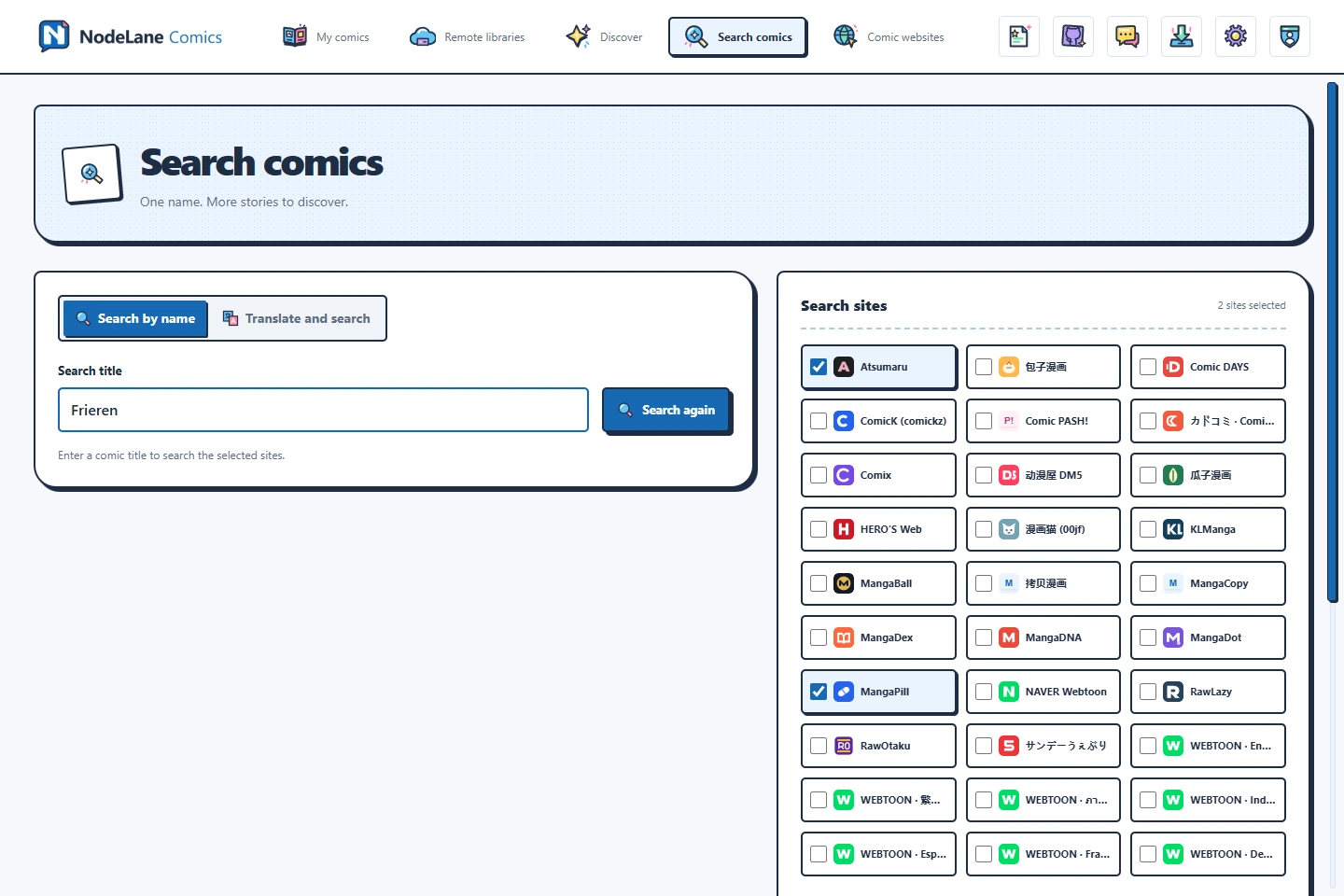
Open Search comics, choose Search by name, and enter a title or known alias. Select the websites to query, then search. Deselect sources you do not need to reduce waiting and unrelated results.
Try an alias or translate the title
Try the original title, an English name, or another common alias. Translate and search requires sign-in; you can edit the returned name before searching again. The title language changes neither image translation settings nor the languages of eligible sources.
Check the result before importing
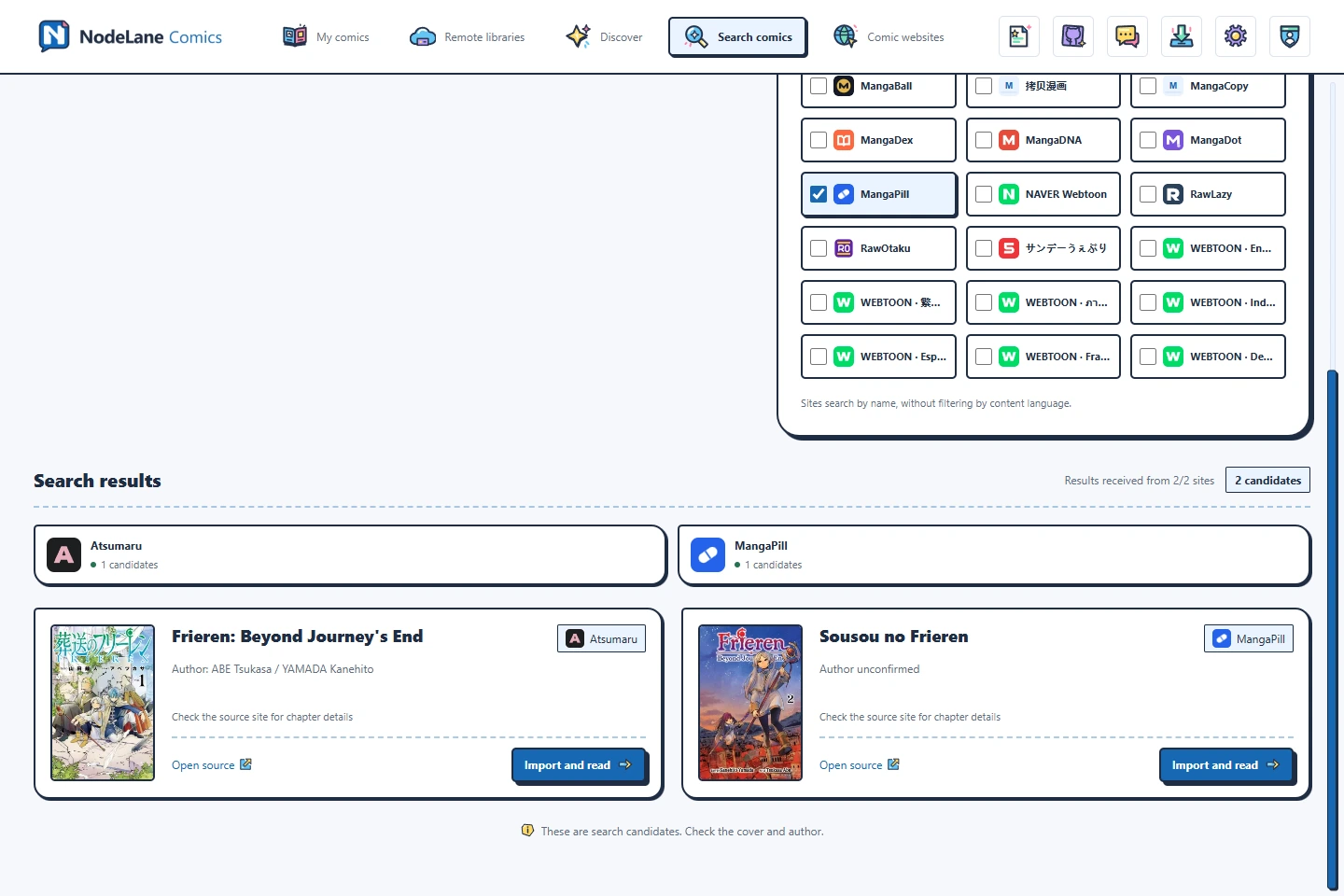
Results arrive independently. Check the title, author and cover; if a cover is missing, open the source to confirm. Choose Import and read, or continue an existing comic from that source. A different source creates a separate comic without replacing the original or moving its progress.
Handle missing results or a failed website
Select a website status to filter its results, retry, or load more when offered. One failed source does not remove other results. Source login, payment and regional access requirements still apply. Candidates are not automatically verified matches.